Add professional AI voice narration to your presentations and explainer videos. Convert your script to natural-sounding speech with text-to-speech technology.
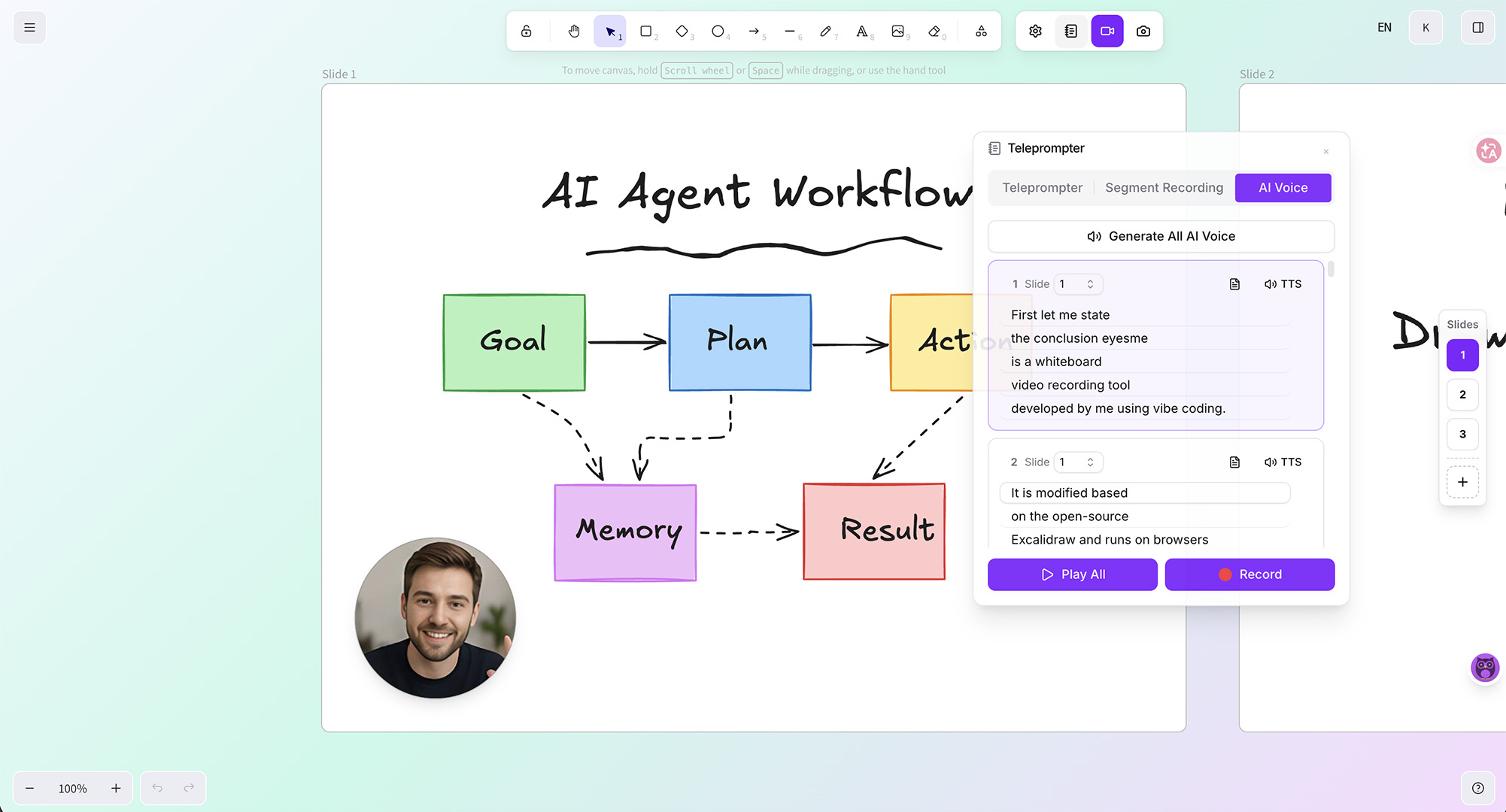
Create your presentation slides with drawings and annotations on the canvas
Write a narration script and split it into segments — one segment per slide
Select an AI voice for each segment and generate TTS narration — preview each segment before proceeding
Once all segments sound right, record the full presentation with auto-switching slides and export as MP4
Split your script into segments, assign an AI voice to each, and generate TTS independently. Preview each segment to make sure it sounds right before moving on.
Each TTS segment is bound to its slide. During preview or final recording, slides switch automatically in sync with the narration.
Choose from multiple AI voices that sound natural and professional. Clear, engaging narration with proper intonation and pacing.
Edit any segment's script and regenerate only that segment. No need to redo the entire narration — just fix what needs fixing.
Produce professional course videos with consistent narration quality across every lesson. Update content and regenerate voice without scheduling studio sessions.
Create training materials in multiple languages for global teams. Maintain a consistent voice across all training modules while supporting localized versions.
Create polished video presentations without recording your own voice. AI narration lets you focus on content creation while the AI handles voice delivery.
Modern text-to-speech technology produces natural-sounding voices with proper intonation, pacing, and emphasis. Listeners often cannot distinguish AI voices from human narration.
Yes. You can combine AI-generated narration with your own microphone recordings. Use AI voice for certain segments and your own voice for others.
Eyesme supports AI voice narration in multiple languages including English, Chinese, Spanish, French, German, Japanese, Korean, and more.
Yes. You can switch between different AI voices at any time. Select a new voice and regenerate the narration from your existing script.
Yes. All AI voiceover, drawing, recording, and subtitle features are completely free. The only paid option is a one-time $20 payment to remove the watermark from exported videos.
Record whiteboard videos with webcam, voice, and AI subtitles
Teleprompter with adjustable speed, opacity, and screen recording
Auto-generate synced subtitles with AI speech recognition
AI-powered translation for canvas content and video subtitles
No downloads, no sign-up. Open your browser and start drawing, recording, and sharing.
Launch Eyesme Canvas